Discuss Through WhatsApp
ns-3 Cheat Sheet: Fundamental Skills & Architecture Reference
Author: Charles Pandian |
Target Simulator: ns-3 (ns-3.36 to ns-3.43+) |
Build System: CMake / Ninja (./ns3) |
Domain: Network Simulation, 5G/6G, Wi-Fi, Satellite & MANET
Whether you are an undergraduate running introductory simulations or a Ph.D. research scholar designing novel MAC, routing, or satellite protocols, ns-3 presents a steep learning curve. Unlike legacy simulators, ns-3 is a rigorous, modular, C++-driven discrete-event network simulator (DES) where network stacks closely mirror real Linux kernel networking.
This ns-3 Cheat Sheet compiles every essential concept, build command, architecture abstraction, helper class, trace sink, and debugging technique into an actionable, single-page reference guide. Bookmark this page for daily simulation design and verification.
Quick Navigation Index
1. Core Architectural Mental Model
Understanding ns-3 begins with understanding its 4 foundational abstractions and how they map to real-world networking hardware:
| ns-3 Abstraction | Real-World Equivalent | Core C++ Class | Role in Simulation |
|---|---|---|---|
| Node | Bare-Metal Host / Computer | ns3::Node |
Empty computing platform. Has no network interfaces, protocols, or IP addresses initially. |
| NetDevice | Network Interface Card (NIC / PHY+MAC) | ns3::NetDevice |
Installed onto a Node. Manages hardware framing, transmission queues, MAC addressing, and channel attachment. |
| Channel | Physical Transmission Medium (Cable / Air) | ns3::Channel |
Simulates signal propagation, physical delay, path loss, attenuation, and multi-user medium access. |
| Application | User-Space Process (Client / Server) | ns3::Application |
Generates traffic workloads or receives packets using Transport Layer Sockets. |
Smart Pointers (Ptr) and Object Aggregation
ns-3 manages memory via intrusive reference-counted smart pointers: Ptr. Never use raw new or delete for simulation objects. Instantiate them using CreateObject or Create. Objects query sibling components via aggregation: node->GetObject or node->GetObject.
2. Build System & Modern ./ns3 CLI Reference
Modern ns-3 uses CMake and Ninja managed through the unified executable script ./ns3 in the root directory:
| Goal / Operation | Command | Engineering Guidance |
|---|---|---|
| Configure (Optimized / Fast) | ./ns3 configure --build-profile=optimized |
Enables -O3 optimization flags. Essential for publication results & large topologies. |
| Configure (Debug Mode) | ./ns3 configure --build-profile=debug --enable-examples --enable-tests |
Enables -g debug symbols and asserts. Required when debugging crashes with GDB. |
| Selective Module Compile | ./ns3 configure --enable-modules=core,network,internet,point-to-point,wifi,applications |
Cuts compilation time drastically by omitting unused subsystems (LTE, WiMAX, etc.). |
| Build Workspace | ./ns3 build |
Parallel build using Ninja across all CPU cores. |
| Run Scratch Simulation | ./ns3 run scratch/my-sim |
Executes scratch/my-sim.cc. ns-3 automatically recompiles if modified. |
| Run with Arguments | ./ns3 run "scratch/my-sim --numNodes=20 --simTime=30.0 --pcap=true" |
Surround with quotes so arguments pass to the simulation binary, not the wrapper. |
| Debug with GDB | ./ns3 run scratch/my-sim --command-template="gdb --args %s" |
Attaches GDB to investigate segmentation faults and inspect call stacks. |
| Memory Leak Check | ./ns3 run scratch/my-sim --command-template="valgrind --leak-check=full %s" |
Identifies dangling pointers, illegal memory access, and leaks. |
| Clean Build Cache | ./ns3 clean |
Removes CMake cache and intermediate binaries in build/. |
3. The Canonical 7-Step Simulation Blueprint
Every single ns-3 simulation follows a rigorous 7-step sequence. Memorizing this structure gives you complete control over script design:
/*
 * ns-3 Canonical 7-Step Simulation Blueprint
 * Author: Charles Pandian | ProjectGuideline.com
 */
#include "ns3/core-module.h"
#include "ns3/network-module.h"
#include "ns3/internet-module.h"
#include "ns3/point-to-point-module.h"
#include "ns3/applications-module.h"

using namespace ns3;

NS_LOG_COMPONENT_DEFINE("CanonicalNs3Simulation");

int main(int argc, char *argv[])
{
    // =========================================================================
    // STEP 1: Command Line Parsing & Simulation Time Resolution
    // =========================================================================
    uint32_t nNodes = 2;
    double simTime = 10.0;
    std::string dataRate = "100Mbps";
    std::string delay = "2ms";

    CommandLine cmd(__FILE__);
    cmd.AddValue("nNodes", "Number of nodes in topology", nNodes);
    cmd.AddValue("simTime", "Simulation execution duration in seconds", simTime);
    cmd.AddValue("dataRate", "P2P channel bandwidth", dataRate);
    cmd.AddValue("delay", "P2P channel propagation delay", delay);
    cmd.Parse(argc, argv);

    Time::SetResolution(Time::NS); // Nanosecond resolution

    // =========================================================================
    // STEP 2: Node Creation (Topology Foundation)
    // =========================================================================
    NodeContainer nodes;
    nodes.Create(nNodes);

    // =========================================================================
    // STEP 3: Channel Configuration & NetDevice Installation
    // =========================================================================
    PointToPointHelper p2p;
    p2p.SetDeviceAttribute("DataRate", StringValue(dataRate));
    p2p.SetChannelAttribute("Delay", StringValue(delay));

    NetDeviceContainer devices;
    devices = p2p.Install(nodes);

    // =========================================================================
    // STEP 4: Internet Stack Installation
    // =========================================================================
    InternetStackHelper stack;
    stack.Install(nodes);

    // =========================================================================
    // STEP 5: IP Addressing & Routing Configuration
    // =========================================================================
    Ipv4AddressHelper address;
    address.SetBase("10.1.1.0", "255.255.255.0");
    Ipv4InterfaceContainer interfaces = address.Assign(devices);

    // Populate Dijkstra shortest-path routes across topology
    Ipv4GlobalRoutingHelper::PopulateRoutingTables();

    // =========================================================================
    // STEP 6: Application Installation & Scheduling
    // =========================================================================
    uint16_t port = 9000;

    // Server on Node 1
    UdpEchoServerHelper server(port);
    ApplicationContainer serverApps = server.Install(nodes.Get(1));
    serverApps.Start(Seconds(1.0));
    serverApps.Stop(Seconds(simTime));

    // Client on Node 0 targeting Node 1's IP
    UdpEchoClientHelper client(interfaces.GetAddress(1), port);
    client.SetAttribute("MaxPackets", UintegerValue(10));
    client.SetAttribute("Interval", TimeValue(Seconds(1.0)));
    client.SetAttribute("PacketSize", UintegerValue(1024));

    ApplicationContainer clientApps = client.Install(nodes.Get(0));
    clientApps.Start(Seconds(2.0));
    clientApps.Stop(Seconds(simTime));

    // =========================================================================
    // STEP 7: Tracing, Execution & Teardown
    // =========================================================================
    p2p.EnablePcapAll("canonical-p2p"); // Captures .pcap trace for Wireshark

    Simulator::Stop(Seconds(simTime));
    Simulator::Run();
    Simulator::Destroy(); // MANDATORY: Frees all event queues and object singletons
    return 0;
}
4. Nodes, Channels & NetDevices Topology Construction
ns-3 supports wired and wireless link layers through modular channel and device helpers.
A. Point-to-Point Links
PointToPointHelper p2p;
p2p.SetDeviceAttribute("DataRate", StringValue("100Mbps"));
p2p.SetChannelAttribute("Delay", StringValue("2ms"));
p2p.SetQueue("ns3::DropTailQueue", "MaxSize", StringValue("50p")); // 50-packet FIFO queue

NetDeviceContainer dev = p2p.Install(nodeA, nodeB);
B. CSMA (Ethernet Bus / LAN)
CsmaHelper csma;
csma.SetChannelAttribute("DataRate", StringValue("100Mbps"));
csma.SetChannelAttribute("Delay", TimeValue(NanoSeconds(6560))); // Standard Ethernet propagation
csma.SetDeviceAttribute("Mtu", UintegerValue(1500));

NetDeviceContainer csmaDevices = csma.Install(lanNodes);
C. Wi-Fi (802.11 a/b/g/n/ac/ax) Configuration
Wi-Fi requires four interconnected helper objects: Channel, PHY, MAC, and WifiHelper.
// 1. Channel & PHY Layer
YansWifiChannelHelper wifiChannel = YansWifiChannelHelper::Default();
YansWifiPhyHelper wifiPhy;
wifiPhy.SetChannel(wifiChannel.Create());

// 2. Wi-Fi Manager & Standard Specification
WifiHelper wifi;
wifi.SetStandard(WIFI_STANDARD_80211ax); // Or WIFI_STANDARD_80211ac / 80211n
wifi.SetRemoteStationManager("ns3::IdealWifiManager"); // Dynamic rate adaptation

// 3. MAC Layer & SSID Configuration
WifiMacHelper wifiMac;
Ssid ssid = Ssid("projectguideline-ap");

// Configure Access Point (AP)
wifiMac.SetType("ns3::ApWifiMac", "Ssid", SsidValue(ssid));
NetDeviceContainer apDevice = wifi.Install(wifiPhy, wifiMac, apNode);

// Configure Station (STA)
wifiMac.SetType("ns3::StaWifiMac",
                "Ssid", SsidValue(ssid),
                "ActiveProbing", BooleanValue(false));
NetDeviceContainer staDevices = wifi.Install(wifiPhy, wifiMac, staNodes);

// Configure Ad-Hoc (MANET) Mode (Alternative)
// wifiMac.SetType("ns3::AdhocWifiMac");
// NetDeviceContainer adhocDevs = wifi.Install(wifiPhy, wifiMac, adhocNodes);
5. Mobility Models & Positioning
Wireless simulation requires geometric node placement to compute path loss, propagation delay, received signal strength (RSSI), and interference.
| Mobility Model | Target Use Case | C++ Type String |
|---|---|---|
| Constant Position | Static nodes, Base Stations, APs, Wired Routers | ns3::ConstantPositionMobilityModel |
| Constant Velocity | LEO satellites, trains, fixed-velocity aircraft | ns3::ConstantVelocityMobilityModel |
| Random Walk 2D | Pedestrians or roaming sensor swarms | ns3::RandomWalk2dMobilityModel |
| Random Waypoint | Vehicular / Ad-hoc networks moving to waypoints with pauses | ns3::RandomWaypointMobilityModel |
| Gauss-Markov | Semi-correlated smooth vehicular trajectories without sharp turns | ns3::GaussMarkovMobilityModel |
Mobility Code Example: Grid, List & Dynamic Movement
MobilityHelper mobility;

// Approach 1: Static Grid Allocation (Rows x Columns)
mobility.SetPositionAllocator("ns3::GridPositionAllocator",
                              "MinX", DoubleValue(0.0),
                              "MinY", DoubleValue(0.0),
                              "DeltaX", DoubleValue(15.0), // 15 meters horizontal spacing
                              "DeltaY", DoubleValue(15.0), // 15 meters vertical spacing
                              "GridWidth", UintegerValue(5), // 5 nodes per row
                              "LayoutType", StringValue("RowFirst"));
mobility.SetMobilityModel("ns3::ConstantPositionMobilityModel");
mobility.Install(nodes);

// Approach 2: Explicit Coordinates via ListPositionAllocator
Ptr positionAlloc = CreateObject();
positionAlloc->Add(Vector(0.0, 0.0, 0.0));    // Node 0
positionAlloc->Add(Vector(50.0, 0.0, 1.5));   // Node 1
positionAlloc->Add(Vector(100.0, 50.0, 1.5)); // Node 2
mobility.SetPositionAllocator(positionAlloc);
mobility.Install(nodes);

// Approach 3: Random Waypoint Mobility (Ad-Hoc / Vehicular)
mobility.SetMobilityModel("ns3::RandomWaypointMobilityModel",
                          "Speed", StringValue("ns3::UniformRandomVariable[Min=2.0|Max=15.0]"),
                          "Pause", StringValue("ns3::ConstantRandomVariable[Constant=2.0]"),
                          "PositionAllocator", PointerValue(positionAlloc));
mobility.Install(mobileNodes);

// Querying and Updating Coordinates at Runtime:
Ptr mob = nodes.Get(0)->GetObject();
Vector pos = mob->GetPosition();
std::cout << "Node 0 is at X=" << pos.x << ", Y=" << pos.y << ", Z=" << pos.z << "n";
mob->SetPosition(Vector(25.0, 30.0, 1.0)); // Move node
6. Internet Stack & IP Addressing
The InternetStackHelper instantiates the IPv4, IPv6, ARP, ICMP, UDP, and TCP protocols and aggregates them into each node.
InternetStackHelper stack;
stack.Install(nodes);

// IPv4 Subnetting Pattern
Ipv4AddressHelper ipv4;
ipv4.SetBase("192.168.1.0", "255.255.255.0");
Ipv4InterfaceContainer ifacesSubnet1 = ipv4.Assign(devicesSubnet1);

// Increment to next subnet (192.168.2.0/24) for the next interface group
ipv4.NewNetwork();
Ipv4InterfaceContainer ifacesSubnet2 = ipv4.Assign(devicesSubnet2);

// IPv6 Configuration Pattern
Ipv6AddressHelper ipv6;
ipv6.SetBase(Ipv6Address("2001:db8:1::"), Ipv6Prefix(64));
Ipv6InterfaceContainer ifaces6 = ipv6.Assign(devices);
7. Routing Protocols (Static, Global & MANET)
ns-3 supports centralized static routing as well as distributed ad-hoc routing protocols:
| Protocol | Type | Helper Class | Best Suited For |
|---|---|---|---|
| Global Routing | Static Dijkstra (Centralized) | Ipv4GlobalRoutingHelper |
Fixed wired networks, tutorials. Zero protocol overhead. |
| Manual Static | Manual Route Entries | Ipv4StaticRoutingHelper |
Deterministic path control, SDN flow programming. |
| AODV | Reactive (On-Demand) | AodvHelper |
Dynamic MANETs, drone swarms with intermittent traffic. |
| OLSR | Proactive (Link-State / MPR) | OlsrHelper |
Dense mobile ad-hoc networks with continuous data streams. |
| DSDV | Proactive (Distance Vector) | DsdvHelper |
Small-scale ad-hoc topologies with low mobility. |
| DSR | Reactive (Source Routing) | DsrHelper / DsrMainHelper |
Source routing where packets store complete hop paths in header. |
Routing Setup Syntax
// Method 1: Global Dijkstra Shortest-Path Routing (Static)
Ipv4GlobalRoutingHelper::PopulateRoutingTables();

// Method 2: Manual Static Routing Table Manipulation
Ipv4StaticRoutingHelper staticRoutingHelper;
Ptr ipv4 = nodes.Get(0)->GetObject();
Ptr staticRouting = staticRoutingHelper.GetStaticRouting(ipv4);
staticRouting->AddNetworkRouteTo(Ipv4Address("10.2.0.0"), Ipv4Mask("255.255.0.0"), 1);

// Method 3: Dynamic Ad-Hoc Routing (AODV / OLSR)
// NOTE: SetRoutingHelper MUST be called BEFORE stack.Install(nodes)!
AodvHelper aodv;
InternetStackHelper stack;
stack.SetRoutingHelper(aodv); // Sets AODV as the L3 routing protocol
stack.Install(adhocNodes);

// Alternatively, for OLSR:
// OlsrHelper olsr;
// stack.SetRoutingHelper(olsr);
// stack.Install(adhocNodes);
8. Transport Layer & TCP Congestion Control
ns-3 implements realistic TCP congestion control algorithms. You can configure algorithms globally before creating sockets:
// 1. Select TCP Congestion Control Algorithm globally:
Config::SetDefault("ns3::TcpL4Protocol::SocketType", TypeIdValue(TcpCubic::GetTypeId()));
// Available: TcpNewReno, TcpCubic, TcpBbr, TcpBic, TcpVegas, TcpWestwoodPlus, TcpHybla, TcpLedbat

// 2. Tune TCP Socket Buffer and Segment Parameters:
Config::SetDefault("ns3::TcpSocket::SegmentSize", UintegerValue(1448));   // MSS (bytes)
Config::SetDefault("ns3::TcpSocket::SndBufSize", UintegerValue(131072));   // 128 KB Send Buffer
Config::SetDefault("ns3::TcpSocket::RcvBufSize", UintegerValue(131072));   // 128 KB Receive Buffer
Config::SetDefault("ns3::TcpSocket::DelAckCount", UintegerValue(1));      // 1 = ACK immediately (no delayed ACK)
Config::SetDefault("ns3::TcpSocket::InitialCwnd", UintegerValue(10));      // Initial congestion window in segments
9. Traffic Generators & Sinks (Application Layer)
Applications generate and receive simulated network workloads. The standard workload generators are OnOffHelper, PacketSinkHelper, and BulkSendHelper:
Address sinkAddress(InetSocketAddress(interfaces.GetAddress(1), 8080));

// =============================================================================
// A. OnOffApplication: Constant Bit Rate (CBR) or Bursty Traffic
// =============================================================================
OnOffHelper onoff("ns3::UdpSocketFactory", sinkAddress);
onoff.SetAttribute("DataRate", StringValue("20Mbps"));
onoff.SetAttribute("PacketSize", UintegerValue(1400));
onoff.SetAttribute("OnTime", StringValue("ns3::ConstantRandomVariable[Constant=1]"));
onoff.SetAttribute("OffTime", StringValue("ns3::ConstantRandomVariable[Constant=0]")); // Continuous stream

ApplicationContainer clientApp = onoff.Install(nodes.Get(0));
clientApp.Start(Seconds(1.0));
clientApp.Stop(Seconds(20.0));

// =============================================================================
// B. PacketSink: Traffic Receiver & Throughput Meter
// =============================================================================
PacketSinkHelper sink("ns3::UdpSocketFactory",
                      InetSocketAddress(Ipv4Address::GetAny(), 8080));
ApplicationContainer sinkApps = sink.Install(nodes.Get(1));
sinkApps.Start(Seconds(0.0));
sinkApps.Stop(Seconds(20.0));

// Extracting throughput after simulation runs:
Ptr packetSink = DynamicCast(sinkApps.Get(0));
uint64_t totalBytesReceived = packetSink->GetTotalRx();
double throughputMbps = (totalBytesReceived * 8.0) / (20.0 * 1e6);
std::cout << "Overall Throughput: " << throughputMbps << " Mbpsn";

// =============================================================================
// C. BulkSendApplication: Maximum-Speed TCP Bulk Transfer
// =============================================================================
BulkSendHelper bulk("ns3::TcpSocketFactory", sinkAddress);
bulk.SetAttribute("MaxBytes", UintegerValue(0)); // 0 = Continuous stream until stop time
bulk.SetAttribute("SendSize", UintegerValue(1400));
ApplicationContainer bulkApp = bulk.Install(nodes.Get(0));
bulkApp.Start(Seconds(1.0));
bulkApp.Stop(Seconds(20.0));
10. The Event Scheduler & Discrete Event Simulation Engine
ns-3 executes discrete events in a prioritized calendar queue. Simulation time advances only when events trigger:
// 1. Scheduling a free C++ function
void CheckNetworkStatus(int iteration, double threshold) {
    std::cout << "Sim time: " << Simulator::Now().GetSeconds()
              << "s | Check #" << iteration << std::endl;
}
Simulator::Schedule(Seconds(5.0), &CheckNetworkStatus, 1, 0.75);

// 2. Scheduling a member function on a C++ class instance
// Simulator::Schedule(Seconds(7.5), &MyProtocol::SendHelloPacket, thisPtr);

// 3. Recurring periodic event pattern
void PeriodicTick(Time interval) {
    std::cout << "Periodic tick at: " << Simulator::Now().GetSeconds() << "sn";
    Simulator::Schedule(interval, &PeriodicTick, interval); // Reschedule self
}
Simulator::Schedule(Seconds(1.0), &PeriodicTick, Seconds(1.0));

// 4. Managing Event Cancellation
EventId myEvent = Simulator::Schedule(Seconds(10.0), &CheckNetworkStatus, 2, 0.5);
if (condition) {
    myEvent.Cancel(); // Removes event from calendar queue
}
11. The Attribute & Configuration System
ns-3 eliminates hardcoded parameters through its unified Attribute System, configurable at 3 distinct levels:
| Configuration Level | Code Example | Scope & Impact |
|---|---|---|
| 1. Default (Global) | Config::SetDefault("ns3::PointToPointNetDevice::DataRate", StringValue("100Mbps")); |
Applies globally to every instance created anywhere in the simulation. |
| 2. Helper Level | p2pHelper.SetDeviceAttribute("DataRate", StringValue("100Mbps")); |
Applies only to devices installed by this specific helper instance. |
| 3. Instance Path | Config::Set("/NodeList/0/DeviceList/0/$ns3::PointToPointNetDevice/DataRate", StringValue("50Mbps")); |
Modifies an individual existing object instance in the active object tree. |
12. Logging, Debugging & GDB Support
ns-3 provides selective multi-level logging that can be toggled without recompiling code.
| Log Severity Flag | Purpose / Output Detail |
|---|---|
LOG_LEVEL_ERROR |
Critical fatal errors. |
LOG_LEVEL_WARN |
Non-fatal warnings and unhandled protocol anomalies. |
LOG_LEVEL_INFO |
Informational milestone messages (packet transmitted, route found). |
LOG_LEVEL_FUNCTION |
Prints function entry/exit calls with parameters (call stack tracing). |
LOG_LEVEL_ALL |
Everything including internal state calculations and math. |
Runtime Logging via Shell Variable (Zero Recompile)
# Enable INFO logs with timestamp prefixes for UdpEchoClientApplication
export NS_LOG="UdpEchoClientApplication=level_info|prefix_time"

# Multiple components separated by colons:
export NS_LOG="UdpEchoClientApplication=level_all:PointToPointNetDevice=level_info|prefix_time|prefix_node"

# Run simulation to see console trace output:
./ns3 run scratch/my-simulation
13. Tracing, PCAP & FlowMonitor (The Metrics Engine)
The primary deliverable of network simulation is extracting defensible, reproducible metrics.
A. PCAP Packet Captures (Wireshark Analysis)
// Capture PCAP on all point-to-point devices (generates prefix-node-device.pcap)
p2pHelper.EnablePcapAll("my-experiment");

// Capture PCAP on specific device only:
p2pHelper.EnablePcap("my-experiment-r0", devices.Get(0));

// View traces in CLI with tcpdump:
// tcpdump -nn -r my-experiment-0-0.pcap
B. FlowMonitor (Automated Per-Flow Metrics)
FlowMonitor tracks packets end-to-end across all nodes, computing delay, jitter, packet loss, and throughput without modifying protocol source code:
#include "ns3/flow-monitor-module.h"

// 1. Install FlowMonitor on all nodes
FlowMonitorHelper flowmon;
Ptr monitor = flowmon.InstallAll();

// 2. Run simulation
Simulator::Stop(Seconds(20.0));
Simulator::Run();

// 3. Process Flow Statistics
monitor->CheckForLostPackets();
Ptr classifier = DynamicCast(flowmon.GetClassifier());
std::map stats = monitor->GetFlowStats();

for (auto const &entry : stats) {
    Ipv4FlowClassifier::FiveTuple t = classifier->FindFlow(entry.first);
    double throughput = (entry.second.rxBytes * 8.0) /
                        (entry.second.timeLastRxPacket.GetSeconds() - entry.second.timeFirstTxPacket.GetSeconds()) / 1e6;
    double pdr = ((double)entry.second.rxPackets / entry.second.txPackets) * 100.0;
    double avgDelay = entry.second.delaySum.GetSeconds() / entry.second.rxPackets;

    std::cout << "Flow ID " << entry.first << ": " << t.sourceAddress << " -> " << t.destinationAddress << "n";
    std::cout << "  Throughput : " << throughput << " Mbpsn";
    std::cout << "  PDR        : " << pdr << " %n";
    std::cout << "  Avg Delay  : " << avgDelay * 1000.0 << " msn";
    std::cout << "  Lost Pkts  : " << entry.second.lostPackets << "n";
}

// 4. Export results to XML
monitor->SerializeToXmlFile("flow-results.xml", true, true);
Simulator::Destroy();
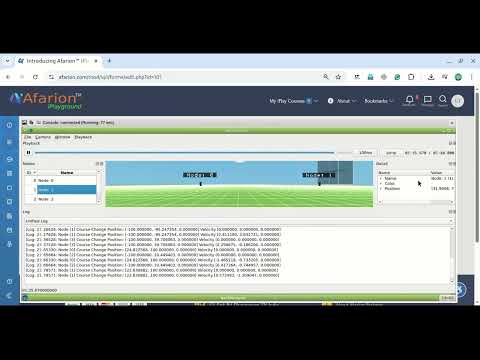
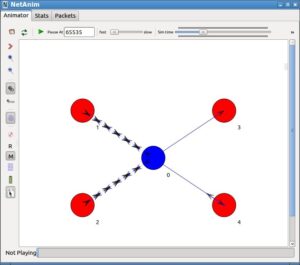
C. NetAnim (Network Animation Visualization)
#include "ns3/netanim-module.h"

// Creates animation XML file for NetAnim visualizer
AnimationInterface anim("network-animation.xml");
anim.SetConstantPosition(nodes.Get(0), 10.0, 20.0);
anim.SetConstantPosition(nodes.Get(1), 50.0, 20.0);
anim.UpdateNodeDescription(nodes.Get(0), "Client");
anim.UpdateNodeDescription(nodes.Get(1), "Server");
anim.UpdateNodeColor(nodes.Get(0), 0, 255, 0); // Green
anim.UpdateNodeColor(nodes.Get(1), 255, 0, 0); // Red
14. Custom Packets, Headers & Tags
To implement novel protocols in ns-3, you encapsulate custom headers inside Packet objects by subclassing ns3::Header:
#include "ns3/header.h"

class CustomRoutingHeader : public Header
{
public:
    CustomRoutingHeader() : m_seqNo(0), m_metric(0.0) {}
    void SetSeqNo(uint32_t seq) { m_seqNo = seq; }
    uint32_t GetSeqNo() const { return m_seqNo; }

    static TypeId GetTypeId() {
        static TypeId tid = TypeId("ns3::CustomRoutingHeader")
            .SetParent()
            .AddConstructor();
        return tid;
    }
    TypeId GetInstanceTypeId() const override { return GetTypeId(); }

    uint32_t GetSerializedSize() const override {
        return sizeof(uint32_t) + sizeof(double); // 4 + 8 = 12 bytes
    }

    void Serialize(Buffer::Iterator start) const override {
        start.WriteHtonU32(m_seqNo);
        start.Write((const uint8_t*)&m_metric, sizeof(double));
    }

    uint32_t Deserialize(Buffer::Iterator start) override {
        m_seqNo = start.ReadNtohU32();
        start.Read((uint8_t*)&m_metric, sizeof(double));
        return GetSerializedSize();
    }

    void Print(std::ostream &os) const override {
        os << "seq=" << m_seqNo << " metric=" << m_metric;
    }

private:
    uint32_t m_seqNo;
    double m_metric;
};

// Usage with Packets:
Ptr p = Create(100); // 100 byte payload
CustomRoutingHeader hdr;
hdr.SetSeqNo(42);
p->AddHeader(hdr); // Prepends header (size becomes 112 bytes)

// On Receiver Node:
CustomRoutingHeader rxHdr;
p->RemoveHeader(rxHdr); // Strips header and parses fields
std::cout << "Received SeqNo: " << rxHdr.GetSeqNo() << std::endl;
15. Top 10 Traps, Gotchas & Pro-Tips
| # | The Trap / Common Mistake | Symptom in Simulation | The Engineering Fix |
|---|---|---|---|
| 1 | Forgetting PopulateRoutingTables() |
Zero packets delivered across multi-hop topologies; silent packet drops. | Call Ipv4GlobalRoutingHelper::PopulateRoutingTables(); after setting all IP addresses. |
| 2 | Forgetting Simulator::Destroy() |
Memory leaks, segmentation faults on exit, corrupted trace files. | Always call Simulator::Destroy() at the end of main(). |
| 3 | Omitting Simulator::Stop() |
Simulation executes infinitely if recurring events exist. | Always specify a finite stop time: Simulator::Stop(Seconds(T));. |
| 4 | Setting Channel Delay to 0 | Event storm, deadlock, or stack overflow recursion. | Channels must have non-zero propagation delay (e.g., 1ns or 1us minimum). |
| 5 | Wi-Fi SSID Mismatch | Station fails to associate with Access Point; 100% packet loss. | Ensure both ApWifiMac and StaWifiMac share the exact same Ssid object. |
| 6 | Not calling ipv4.NewNetwork() |
IP address collisions across different point-to-point links. | Call ipv4.NewNetwork() before assigning each separate point-to-point interface pair. |
| 7 | Modifying Shared Packet without Copy() |
Corrupts payload for other nodes when sniffing or multicasting. | Call Ptr before adding or stripping headers. |
| 8 | Benchmarking in Debug Mode | Simulation executes orders of magnitude slower. | Always build production experiments with --build-profile=optimized. |
| 9 | Circular Ptr Reference Loops |
Destructors never trigger; objects leak until process exits. | Use raw pointers or ns3::WeakPtr for back-references to parents. |
| 10 | Scheduling Application Start at t = 0.0s |
Packets dropped because routing tables or ARP caches have not resolved. | Start traffic applications at t >= 1.0s to allow protocol stabilization. |
16. Master Class & Header Matrix
Keep this lookup table accessible while composing simulation scripts:
| Component / Subsystem | Primary Classes / Helpers | Required Module Header |
|---|---|---|
| Core Engine & Scheduler | Simulator, Time, CommandLine |
#include "ns3/core-module.h" |
| Node & Packet Containers | NodeContainer, NetDeviceContainer |
#include "ns3/network-module.h" |
| TCP/IP Stack & Addressing | InternetStackHelper, Ipv4AddressHelper |
#include "ns3/internet-module.h" |
| Point-to-Point Links | PointToPointHelper |
#include "ns3/point-to-point-module.h" |
| Ethernet / CSMA LAN | CsmaHelper |
#include "ns3/csma-module.h" |
| 802.11 Wi-Fi | WifiHelper, YansWifiPhyHelper, WifiMacHelper |
#include "ns3/wifi-module.h" |
| Mobility & Positioning | MobilityHelper |
#include "ns3/mobility-module.h" |
| Traffic Applications | OnOffHelper, PacketSinkHelper, BulkSendHelper |
#include "ns3/applications-module.h" |
| AODV Dynamic Routing | AodvHelper |
#include "ns3/aodv-module.h" |
| OLSR Dynamic Routing | OlsrHelper |
#include "ns3/olsr-module.h" |
| Flow Statistics Tracking | FlowMonitorHelper, FlowMonitor |
#include "ns3/flow-monitor-module.h" |
| NetAnim Visualizer | AnimationInterface |
#include "ns3/netanim-module.h" |
About the Author
Charles Pandian is the founder and lead research contributor at ProjectGuideline.com, specializing in ns-2 and ns-3 network simulations, 3D aerial/satellite constellations, and next-generation communication protocol design. For further simulation scripts, tutorials, and research consulting, explore the dedicated ns-3 simulation repository.
 Take Me to Afarion ns-3 iPlayground