Discuss Through WhatsApp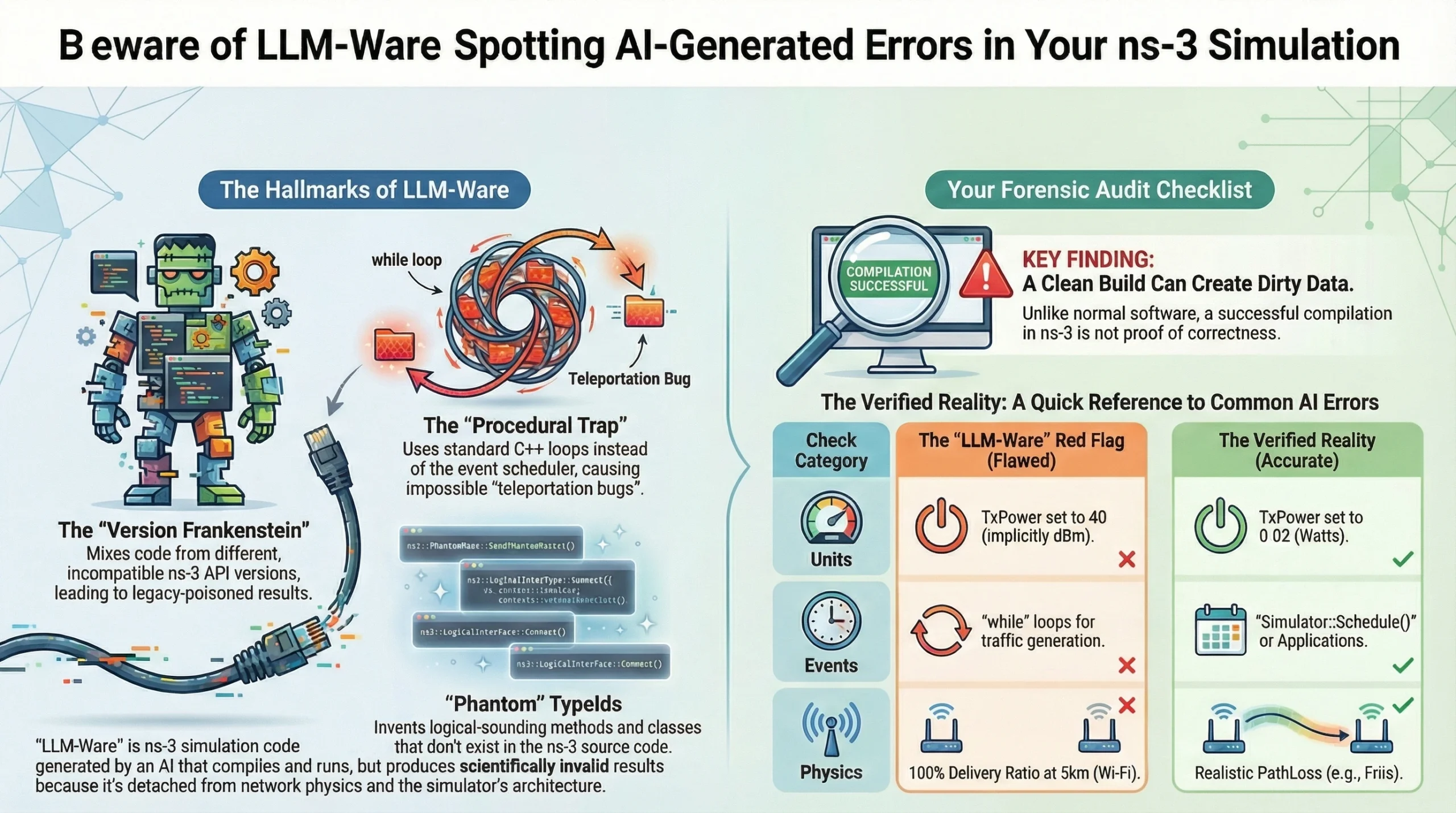
In the specialized world of ns-3 (Network Simulator 3), a new species of research error has emerged. It isn’t just a bug, and it isn’t just a hallucination—it is “LLM-Ware.” LLM-Ware is code that compiles, runs, and produces a result, but is fundamentally detached from the reality of network physics and the ns-3 architecture. For a researcher, LLM-Ware is a “siren song”: it promises to bypass the brutal C++ learning curve, but it often leads to scientifically invalid data.
The Hierarchy of ns-3 Artifacts
When an LLM generates ns-3 code, it leaves behind “artifacts”—specific patterns of error born from its training on a decade’s worth of disparate GitHub commits and outdated documentation.
1. The “Version Frankenstein” (Chronological Artifact)
The ns-3 API is notoriously unstable between major releases. An LLM might pull a WifiHelper configuration from ns-3.25 and attempt to pair it with a SpectrumWifiPhy model from ns-3.41.
- The Artifact: Syntactically correct but architecturally mismatched code.
- The Consequence: You may inadvertently use an outdated interference model while thinking you are simulating a modern 802.11ax network. Your research becomes “Legacy Poisoned.”
2. The “Procedural Trap” (Temporal Artifact)
ns-3 is a Discrete-Event Simulator (DES). Real brilliance in ns-3 requires understanding that time only moves when an event is scheduled via Simulator::Schedule().
- The Artifact: The LLM often writes “standard” procedural C++ loops to update node positions or send packets.
- The Consequence: These updates happen in zero simulation time. You create a “Teleportation Bug” where nodes move or data travels across the world instantly, leading to 0ms latency results that are physically impossible.
3. “Phantom” TypeIds (Structural Hallucinations)
LLMs are “stochastic parrots” that predict the next likely word. In ns-3, they often predict logical-sounding methods that simply do not exist in the source code.
- The Artifact: Calls to mobility.SetHighSpeedMode(true) or ipv4.EnableGlobalTurboRouting().
- The Consequence: While these often cause compilation errors (making them “safe” errors), they can sometimes be “shadowed” by the LLM’s own generated helper classes, leading you down a rabbit hole of non-standard code that no other researcher can replicate.
Why “Clean Builds” Lead to Dirty Data
The most dangerous moment in LLM-assisted research is the first successful compilation. In a standard software app, if it compiles and runs, it usually works. In ns-3, a clean build is just a license to produce wrong numbers.
The Optimism Artifact: LLM-generated code tends to oversimplify “noise.” It might forget to attach an ErrorModel to a channel or use a ConstantVelocityMobilityModel where a GaussMarkov model is required. The result? A network that performs perfectly because the AI accidentally turned off the “real world.”
How to Audit Your LLM-Generated Simulation
To ensure your advanced networking concept doesn’t become “paperware,” you must act as a Forensic Auditor.
| Check Category | The “LLM-Ware” Red Flag | The Verified Reality |
| Units | TxPower set to 40 (implicitly dBm). | TxPower set to 0.02 (Watts) for realism. |
| Events | while loops for traffic generation. | Simulator::Schedule() or Applications. |
| APIs | Mixed headers from different ns-3 versions. | Strict adherence to ns-3.xx documentation. |
| Physics | 100% Delivery Ratio at 5km (Wi-Fi). | Realistic PathLoss (Friis/LogDistance). |
Conclusion: The New Research Brilliance
The “brilliant” researcher of the AI era isn’t the one who can write the most code—it’s the one who can verify the most logic.
Using an LLM for ns-3 is like using a high-powered telescope that sometimes shows you a smudge on the lens and calls it a new galaxy. Your job is to clean the lens. Before you trust a single chart produced by AI-generated code, ask yourself: Is this a breakthrough, or is it just LLM-Ware?
 Take Me to Afarion ns-3 iPlayground